
Your shopping list just got a lot smarter
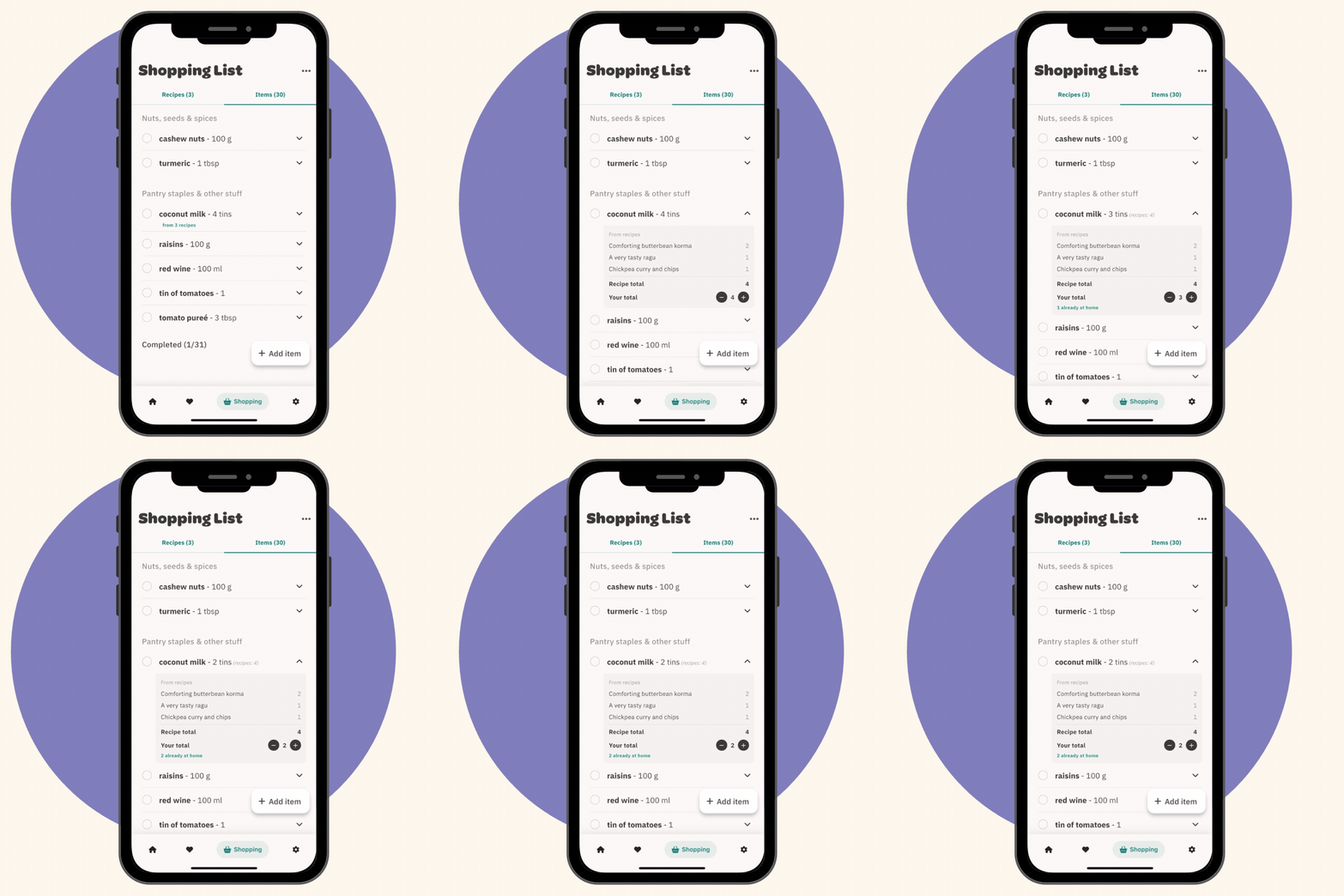
If you've been using the Feeds shopping list, you know it does the heavy lifting of turning your meal plan into something you can take to the shop. Pick your recipes, and every ingredient lands on one list, grouped by aisle.
But we've been using it ourselves every week, and we kept bumping into the same frustrations. So we fixed them.
Here's what's new.
See exactly where your ingredients come from
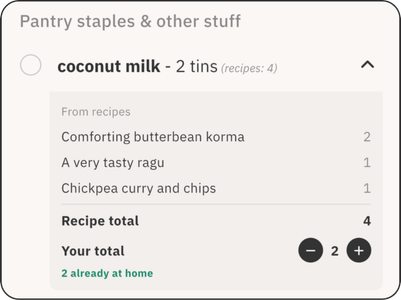
Ever looked at "garlic - 6 cloves" and wondered why so many? Now you can tap any ingredient to see exactly which recipes need it and how much each one calls for. If a recipe needs 4 cloves and another needs 2, you'll see that breakdown clearly.
This is especially handy when you're planning what to cook first, or if you want to skip a recipe and adjust your list accordingly.
Adjust amounts on the fly
Here's the one we're most excited about. You can now tweak any ingredient amount directly on your shopping list.
Recipe calls for 2 peppers but you've got 1 at home? Tap the item, reduce your total to 1. Want to grab extra carrots for snacking? Bump the total up. The list shows your adjusted amount alongside what the recipes originally called for, so you always know what changed and why.
Add your own items, properly
The shopping list was always focused on recipe ingredients, but real shopping trips need toilet roll and tea bags too. We've completely rebuilt how you add your own items.
Quick add lets you type directly at the top of your list without leaving the screen. For bigger shops, the full add screen now shows your recently added items and common extras like cling film, bin bags, and dishwasher tabs, so you're not staring at a blank screen trying to remember what you need.
Items you add now get sorted into the right aisle automatically. Add "weetabix" and it goes to Cereals & breakfast, not a generic catch-all. We've added five new aisle categories to make this work: Drinks, Cereals & breakfast, Snacks & treats, Frozen, and Household.
Better feedback as you go
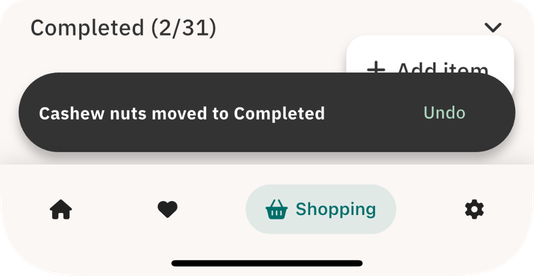
Small things that make a difference: when you check something off, a toast confirms it's been moved to Completed (with undo if you tapped by accident). When you add an item via quick add, you'll see exactly which aisle it landed in. And the completed section now sits inline at the bottom of your list instead of hiding behind a separate screen.
We use this shopping list every week ourselves. These changes came from real trips to real shops, not a feature roadmap. We hope they make your weekly shop that bit easier.
Happy cooking,
BM