
Search Just Got a Lot More Useful
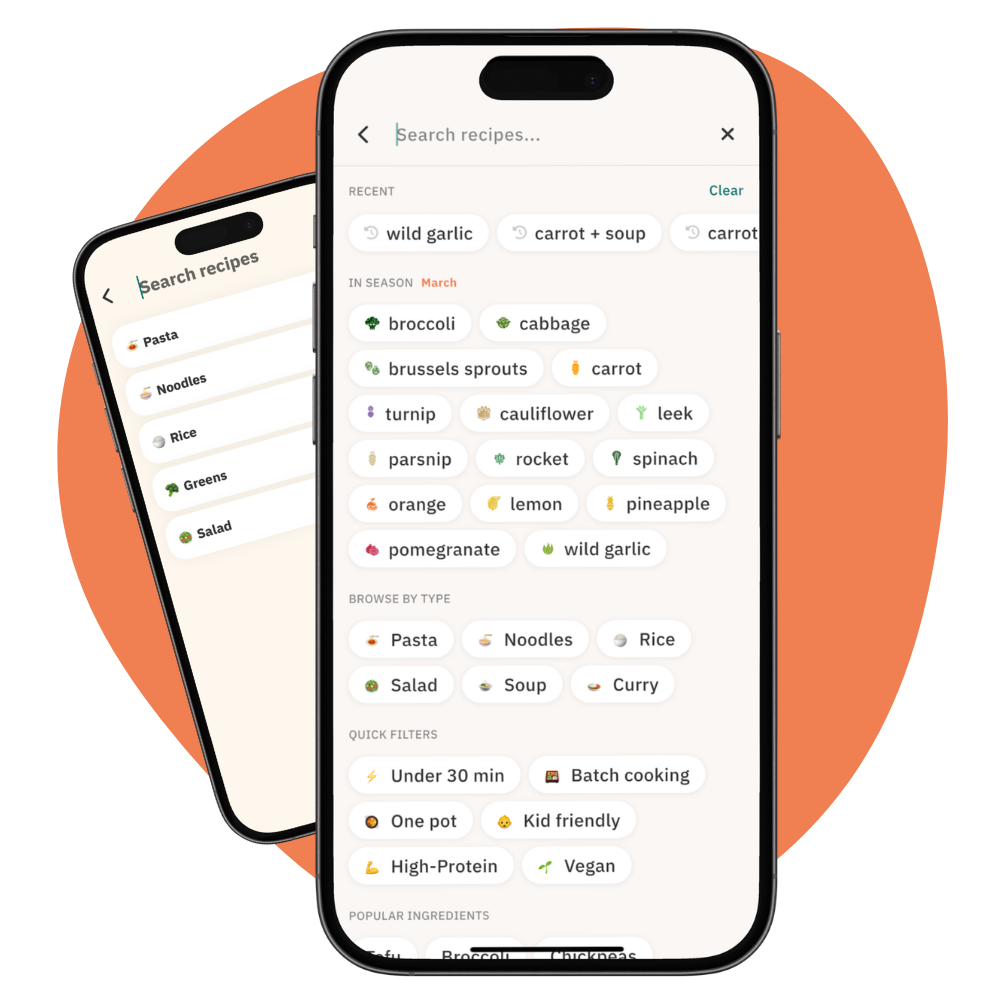
We've rebuilt Search from the ground up. If you've ever opened the search screen and felt like you weren't quite sure where to start, this update is for you.
Here's what's new.
A Smarter Starting Point
The old search screen had popular searches and popular ingredient pills — useful if you happened to be looking for something that matched them. But the suggestions were static and the ingredient pills were essentially just entering text into the search bar, which meant results depended on whether a recipe title or description happened to contain that word.
The new version makes everything more intentional.
In Season: March
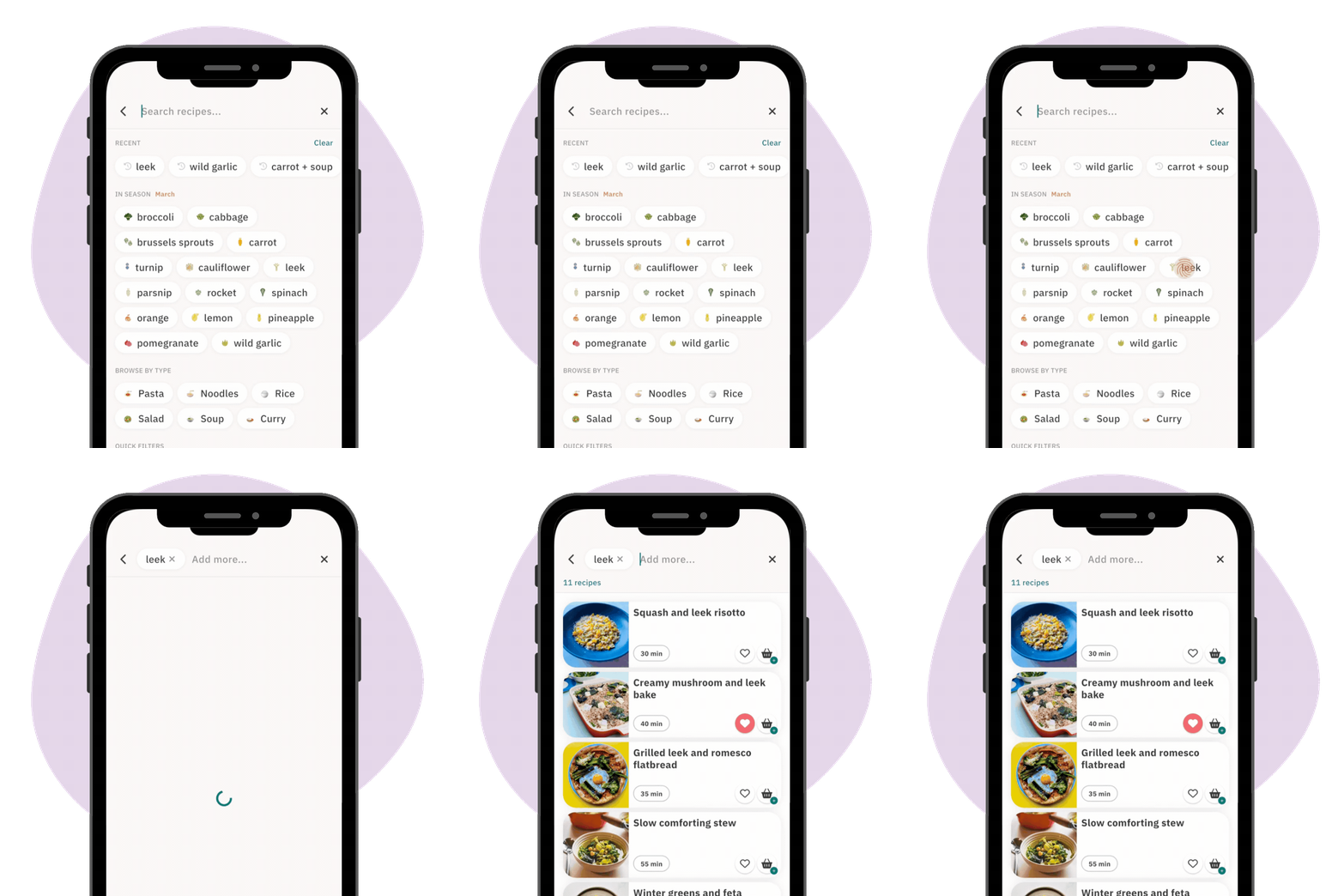
At the top of your search screen, you'll now see a curated list of vegetables that are in season right now. Tap any ingredient to instantly find recipes that use it.
This section updates automatically each month. It's a small thing, but it makes a real difference when you've just had a delivery and you're wondering what to cook with those ingredients staring back at you.
Browse by Type & Quick Filters
A quick row of dish-type pills sits below the seasonal section: Pasta, Noodles, Soups, Rice, and more. One tap and you're straight into that category. No typing required.
Below that, you'll find a set of Quick Filters — things like Batch cooking, High-protein, and Under 30 mins.
Recent Searches
If you've searched before, your most recent searches appear at the top of the screen. These are filtered sensibly — we only save searches that found results and that you actually spent time on. No gibberish, no dead ends, no typos preserved for posterity.
The Navigation Fix
A persistent annoyance in the old version: if you searched for something, tapped into a recipe, then pressed back — you'd lose your position entirely and have to start again.
That's fixed. Search is now built as a proper screen within the app rather than a pop-up overlay. Your results stay exactly where you left them.
What's Next
This update lays the groundwork for more filtering improvements over the coming months.
As always, if something isn't working the way you'd expect or if you want to see more or different filter options, please drop us a line.
— BM